Deciding and repeating
if
if runs a block when a condition holds, and else another when it does not:
draw [ background 240 if mouse.x < 200 [ fill tomato ] else [ fill skyblue ] circle at 200 150 radius 80]
Conditions compare with <, <=, >, >=, is and is not, and join with and, or and not. More cases follow with else if:
score = 7if score > 8 [ fill gold ] else if score > 5 [ fill silver ] else [ fill brown ]circle at 200 150 radius 60
repeat
repeat runs a block a number of times:
repeat 50 [ circle at (random 400) (random 300) radius 6 fill gold ]
for
for counts, from one number to another and including both, giving each number a name:
for i from 1 to 10 [ circle at (i * 36) 150 radius (i * 2) fill gold ]
by sets the step: for x from 0 to 400 by 50 [ ... ].
while
while runs a block for as long as a condition holds:
fill goldstroke 60thickness 2size = 150while size > 5 [ circle at 200 150 radius size size = size * 0.75]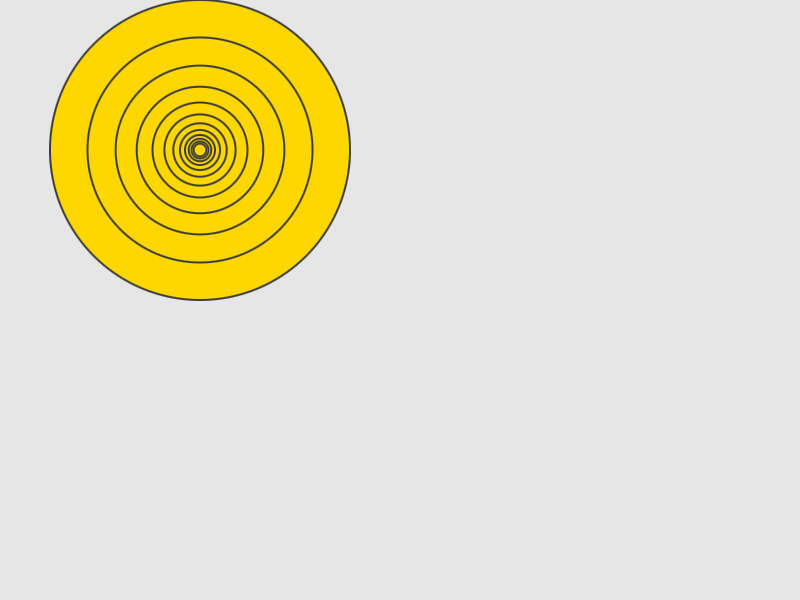
A block that never ends would freeze a sketch, so rocinante stops one that runs too long and says where.
for each
for each goes through a list, giving each item a name:
points = [ { 60, 200 } { 140, 100 } { 220, 180 } { 300, 80 } ]for each p in points [ circle at p radius 14 fill teal ]
Changing the item changes it in the list, when the list holds records: the next guide says more.