Shaders
A shader is a small program the graphics card runs for every pixel. In rocinante it is a file in your sketch’s assets folder, written in HLSL, and effect runs it over the finished picture of the window, so it can warp, tint, blur or darken everything that was drawn. Here wave.hlsl sways the stripes sideways:
background 235colors = [ tomato gold seagreen steelblue orchid ]for i from 1 to 5 [ fill (item i of colors) rect at (20 + (i - 1) * 74) 40 size 60 220]effect "wave.hlsl" by { amount: 0.02, phase: time * 3 }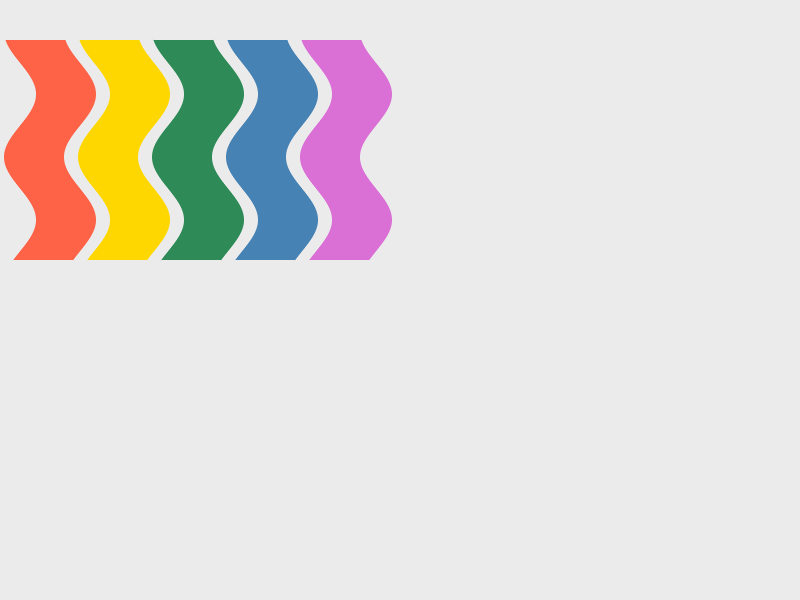
The shader is found by its file name, like a picture or a font. This is assets/shaders/wave.hlsl:
float amount;
float phase;

float4 ps_main(float4 position : SV_Position, float2 uv : TEXCOORD0) : SV_Target0
{
    float2 p = uv;
    p.x += sin(p.y * 30.0 + phase) * amount;
    return scene.Sample(scene_sampler, p);
}
What a shader is given
You write one function, ps_main. It runs for every pixel of the window and gives back that pixel’s color. These come with every shader, so you never declare them:
sceneandscene_sampler: the picture the sketch drew.scene.Sample(scene_sampler, uv)is its color atuv.uv, the argument ofps_main: where this pixel is, from 0 to 1 across and down from the top left.positionis the same place in pixels.size: the window’s size in pixels,mouse: where the mouse is,time: seconds since the sketch began andframe: the frame number.
The colors are 0 to 1, as in every shader, and a pixel’s color is float4(red, green, blue, alpha).
Giving it values
Any other global at the top of the shader, such as float amount;, is a value the sketch gives it by name after by. A value is a number, a vector of two to four numbers or a color, and one a sketch leaves out is 0:
effect "tint.hlsl" by { strength: 0.4, spot: { 120, 80 }, color: teal }A color arrives as 0 to 1, ready for the shader’s math. A name the shader does not have is said, with the names it has, and the others still go.
Several effects, and where they run
Effects run in the order they are written, each over the picture the one before it made, so a wave and then a vignette is two lines. An effect written in the window’s own drawing runs once the whole frame is drawn, and everything the window shows, including image of a canvas, goes through it. Written inside draw into, it runs over that canvas once the frame’s drawing into it is done, and what it makes stays on the canvas: an effect written every frame works on its own result again, so a blur makes trails that spread (examples/smoke), and an effect for the picture of the canvas alone, with the canvas left as it was, is an image of it drawn into a second canvas. A canvas holds colors multiplied by their alpha, which the built-in effects take into account.
Effects that come with rocinante
You do not have to write a shader to blur a picture. A name with no extension is one of the effects that come built in, and each starts with values that look right, so one word does something:
draw [ circle at mouse radius 40 fill white effect "glow" effect "vignette" by { amount: 0.8 }]The built-in effects are blur (amount, the radius in pixels), glow (amount, strength and threshold: what is brighter than the threshold blooms), pixelate (block, the size of a pixel), vignette (amount), split (amount: red and blue drift apart toward the edges), grain (amount), gray (amount, 0 to 1) and invert (amount, 0 to 1). A value you do not give keeps its start value, and one a shader does not read is said, as for any shader. They are written like any other effect, so they run in order and can sit between your own. examples/neon stacks four of them over bright rings.
Editing while it runs
A shader is read again every time its file is saved, in the running sketch, with nothing else restarting. Change a number, save, and the picture changes. A mistake in a shader is said in the shader’s own words, with its line, and the picture is drawn without the effect until the next save mends it:
Shaders as fills
shade chooses a shader as the fill, so every shape drawn after it is colored by the shader, until fill puts a plain color back. The shape is the mask: the shader works out each pixel’s color from where it is in the shape’s own box.
background 30shade "spiral.hlsl" by { arms: 3, rings: 7, wobble: 0.5, speed: 0, accent: rgb 230 25 25 }rect at 20 20 size 360 260shade "spiral.hlsl" by { arms: 5, rings: 4, wobble: 0.9, speed: 0, accent: rgb 20 90 230 }stroke whitethickness 4circle at 200 150 radius 90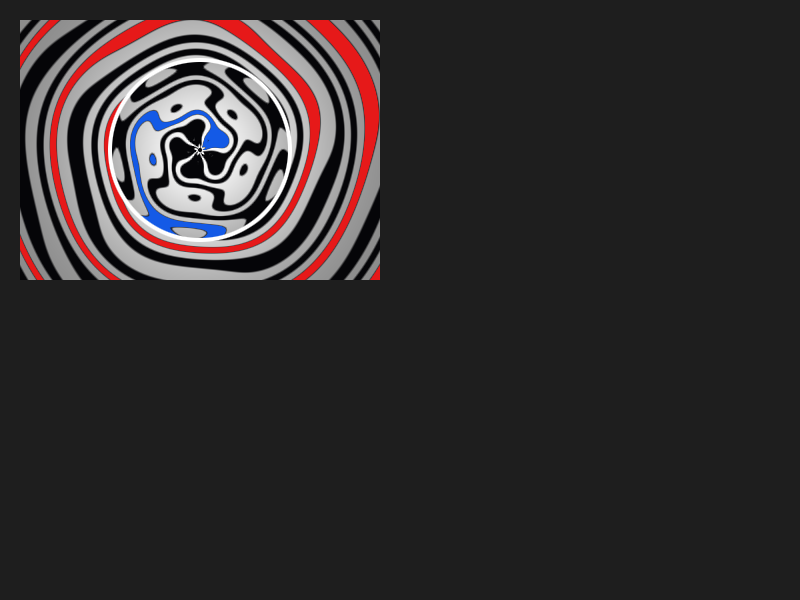
A fill shader is written like an effect, with two differences: there is no scene, because there is no picture to read, and size is the size of the shape’s box, not the window’s. uv goes from 0 to 1 across that box and down it, so the same shader fills a big rectangle and a small circle each corner to corner. time, frame and mouse come with it as before, and the values after by are its own globals. It gives back float4(red, green, blue, alpha), and an alpha under 1 lets what is behind the shape show through. The outline of a shape is drawn over its fill as usual, and shade works inside draw into too. A file written for shade and one written for effect are different shaders even if one file name is used both ways.
A shader that draws everything itself
A shader does not have to use scene. It can make the whole picture from the numbers it is given, as the shaders on Shadertoy do, and lay what the sketch drew over it. Start the frame with clear instead of background, so the empty parts of what the sketch drew are see-through, and let the shader put scene on top where its alpha is not 0.
examples/effects has two shaders, a wave and a vignette that follows the mouse, and examples/spiral fills a window-sized rectangle and two circles with one spiral shader. examples/tunnel has a tunnel made from nothing by one shader, with the sketch’s dots and word laid over it, and a lens effect over both. examples/glass is a corridor of glowing glass, one shader as the fill of a window-sized rectangle, with motes of light added over it.